- Home
- News
- WoW Forever
- Best WoW Forever Addons: 8 Useful Tools for Leveling, Gear and Gold
Best WoW Forever Addons: 8 Useful Tools for Leveling, Gear and Gold
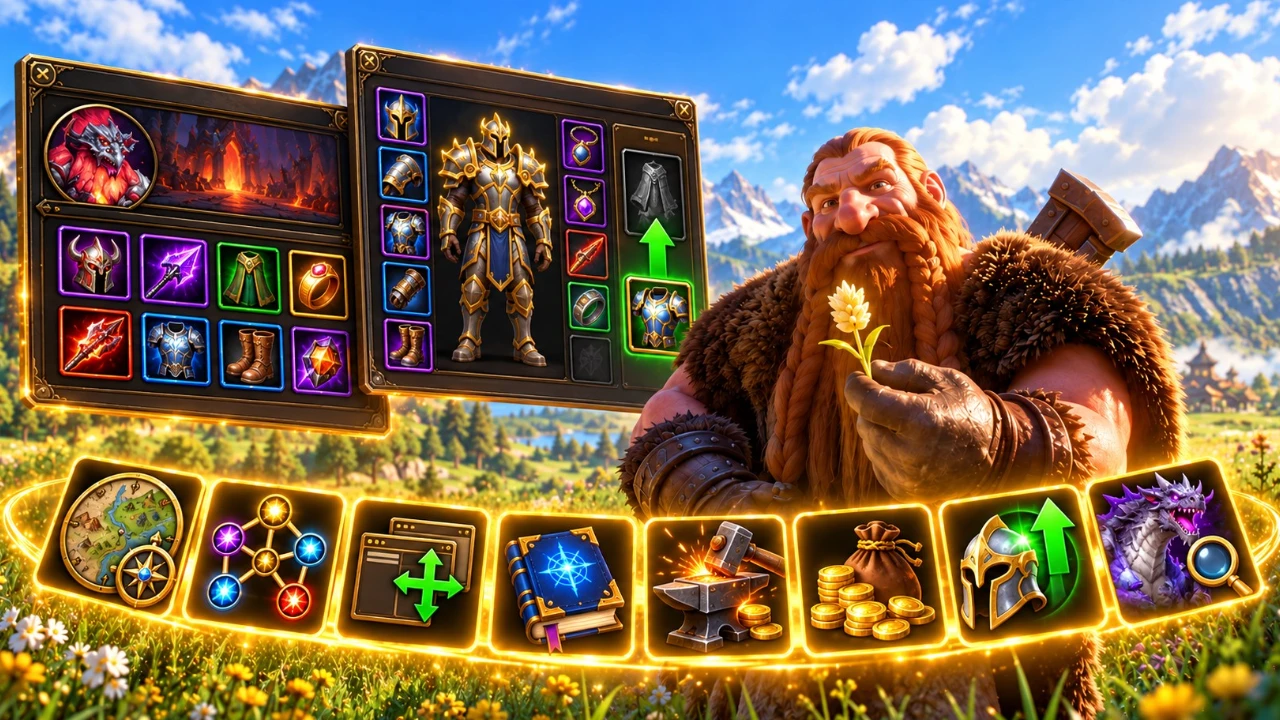
World of Warcraft: Forever has plenty to explore, from familiar leveling zones to new class builds, dungeon rewards, and profession systems. A few well-chosen addons can make those adventures more comfortable without changing the way the game feels.
Looking for a better map? Want to plan your talents before spending points? Need to find an upgrade or spot a nearby rare enemy? The eight addons below cover those tasks and more.
Best WoW Forever Addons
| Addon | Best For | What It Does | Download |
|---|---|---|---|
| Leatrix Maps | Exploration | Improves the world map with coordinates, dungeon icons, and customization. | CurseForge |
| Talents Forever | Talent builds | Lets you plan and share talent builds in game. | CurseForge |
| BlizzMove | Interface | Moves and resizes supported Blizzard windows. | CurseForge |
| DungeonJournal | Dungeons | Shows dungeon quests, rewards, and boss drops. | CurseForge |
| Mastercraft | Professions | Provides profession guides, recipe suggestions, and crafting information. | CurseForge |
| Auctionator | Auction House | Helps you search, buy, sell, and check item prices. | CurseForge |
| GearQuest Forever | Gear upgrades | Finds potential upgrades for your class, specialization, and level. | CurseForge |
| RareScanner | Rare hunting | Helps track rare enemies and explore known locations. | CurseForge |
1. Leatrix Maps
Best for: Exploration, leveling, and finding your way around Azeroth.
The default world map gets the job done, but Leatrix Maps gives you more control over how it looks and what information it shows. It is a useful companion when you are traveling between quest hubs or looking for a dungeon entrance.
What Makes It Useful?
- Reveal the world map to make planning routes easier.
- Show coordinates and dungeon icons.
- Adjust the map’s size and position.
- Customize additional map options to suit your interface.
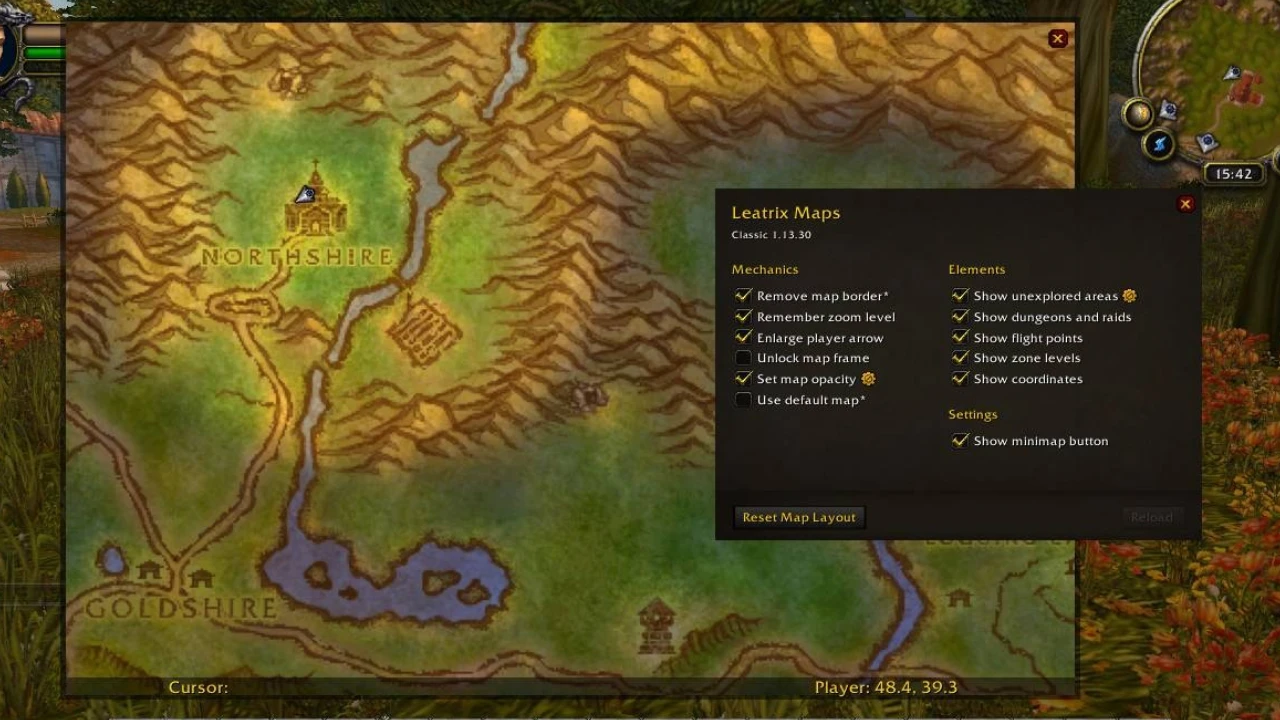
All of its settings are optional, so you can keep the default map feel and enable only the features you need.
Quick command: Type /ltm in chat to open the addon’s settings.
View Leatrix Maps on CurseForge
2. Talents Forever
Best for: Planning builds and deciding where to spend talent points.
WoW Forever brings updated talent options, which makes experimenting with builds part of the fun. Talents Forever lets you plan a setup in game before committing your points.
You can look ahead to higher-level talents, follow a plan as your character levels, and share builds with other players. It is particularly handy when you want to compare different paths without repeatedly leaving the game.
What Makes It Useful?
- Plan talent builds without spending points immediately.
- Preview your build at different character levels.
- Follow a planned build while leveling.
- Share builds by link or import one from another player.
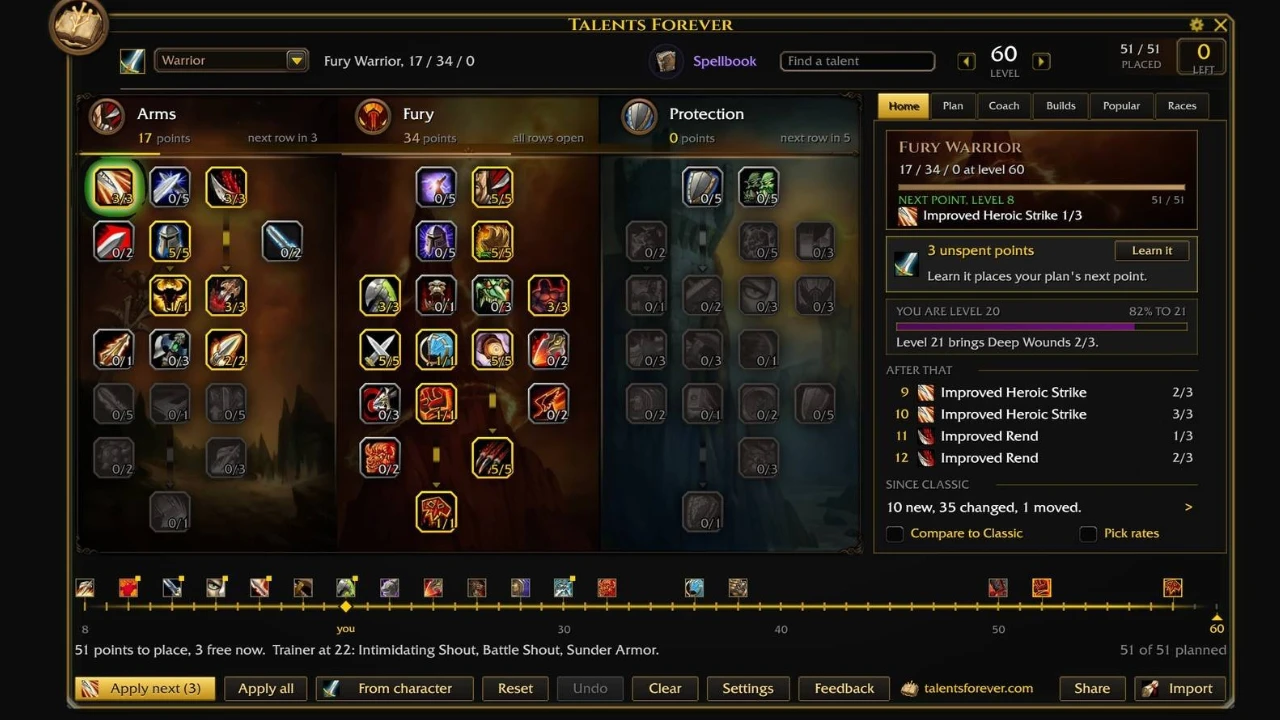
Quick command: Type /tf to open the addon.
View Talents Forever on CurseForge
3. BlizzMove
Best for: Moving and resizing the default game interface.
Sometimes all you want to do is move a window out of the way. BlizzMove makes supported Blizzard interface windows movable, letting you arrange things such as your character panel or spellbook more comfortably.
It is a small change, but it can be helpful when you want to compare information across multiple windows without one covering another.
What Makes It Useful?
- Drag supported Blizzard windows by their title.
- Adjust window scale using the mouse wheel and modifier key.
- Reset a window’s position or scale when needed.
- Keep the familiar Blizzard interface instead of replacing it.
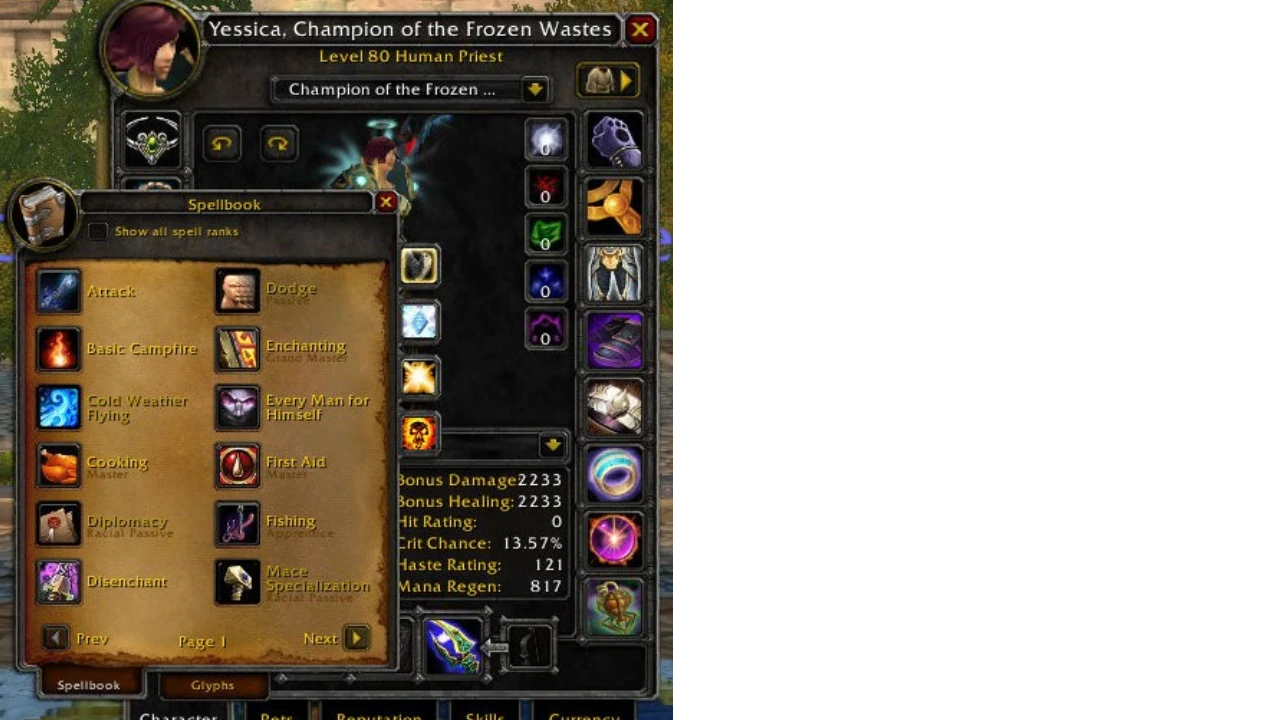
Quick command: Type /bm for addon options.
Note: The addon has some interface limitations, so not every individual window or bag frame can necessarily be moved.
4. DungeonJournal
Best for: Checking dungeon quests, rewards, and boss loot.
Before joining a dungeon group, it helps to know which quests are available and which bosses drop gear you might need. DungeonJournal puts that information in an in-game journal, making it easier to prepare before the first pull.
If you are leveling through dungeons, the quest information can help you avoid leaving useful rewards behind. You can also check boss drops when deciding which dungeon to run for an upgrade.
What Makes It Useful?
- Browse dungeon quests and their rewards.
- Check boss drops from inside the game.
- Click a quest to see its location on the map.
- Plan dungeon runs around items and quests you need.
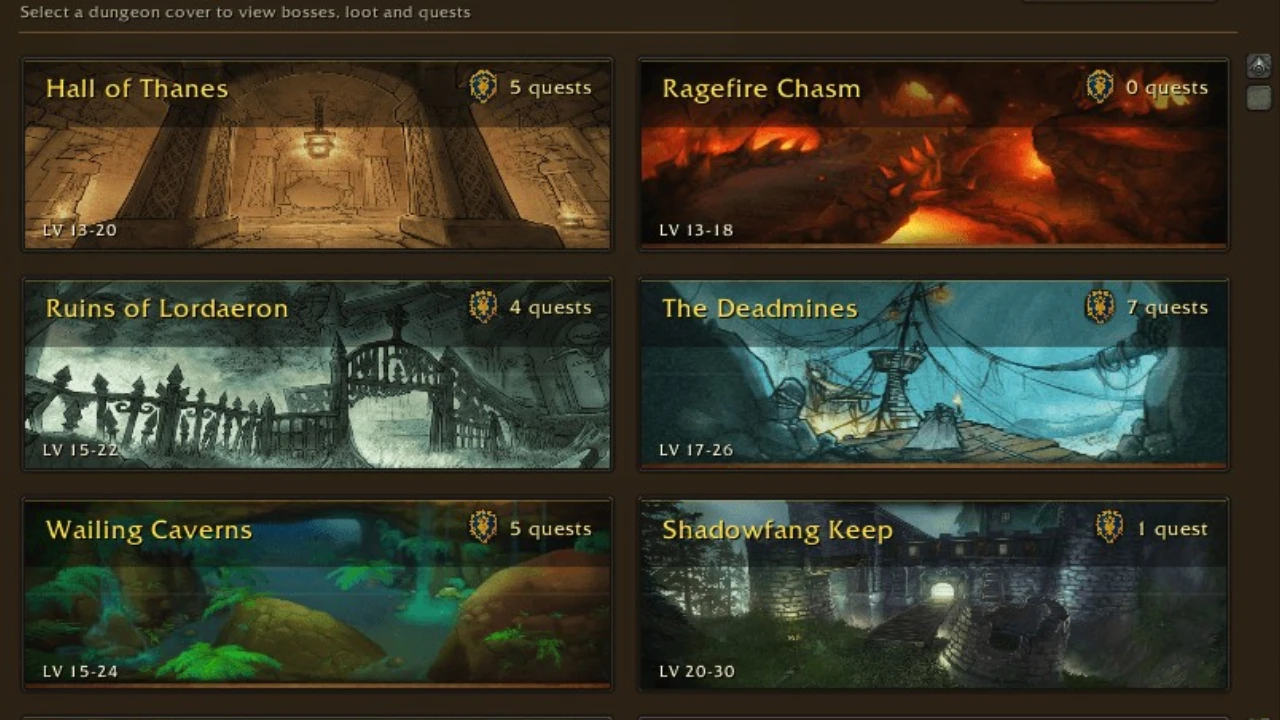
Quick command: Type /dj to open the journal.
Installation tip: This project also supports Burning Crusade Classic. Open its Files tab and choose the file marked Forever.
View DungeonJournal on CurseForge
5. Mastercraft
Best for: Profession leveling, gathering, and crafting.
Professions can be a rewarding part of WoW Forever, but figuring out which recipe to craft next or which materials to collect can take time. Mastercraft brings profession guides and crafting information into one interface.
It is useful for both gathering and crafting professions, especially if you want help planning your next steps instead of constantly checking recipes by hand.
What Makes It Useful?
- Browse profession leveling guides.
- Review recipe suggestions and crafting information.
- Check gathering and material-related details.
- Use Auction House pricing information to help plan crafts.
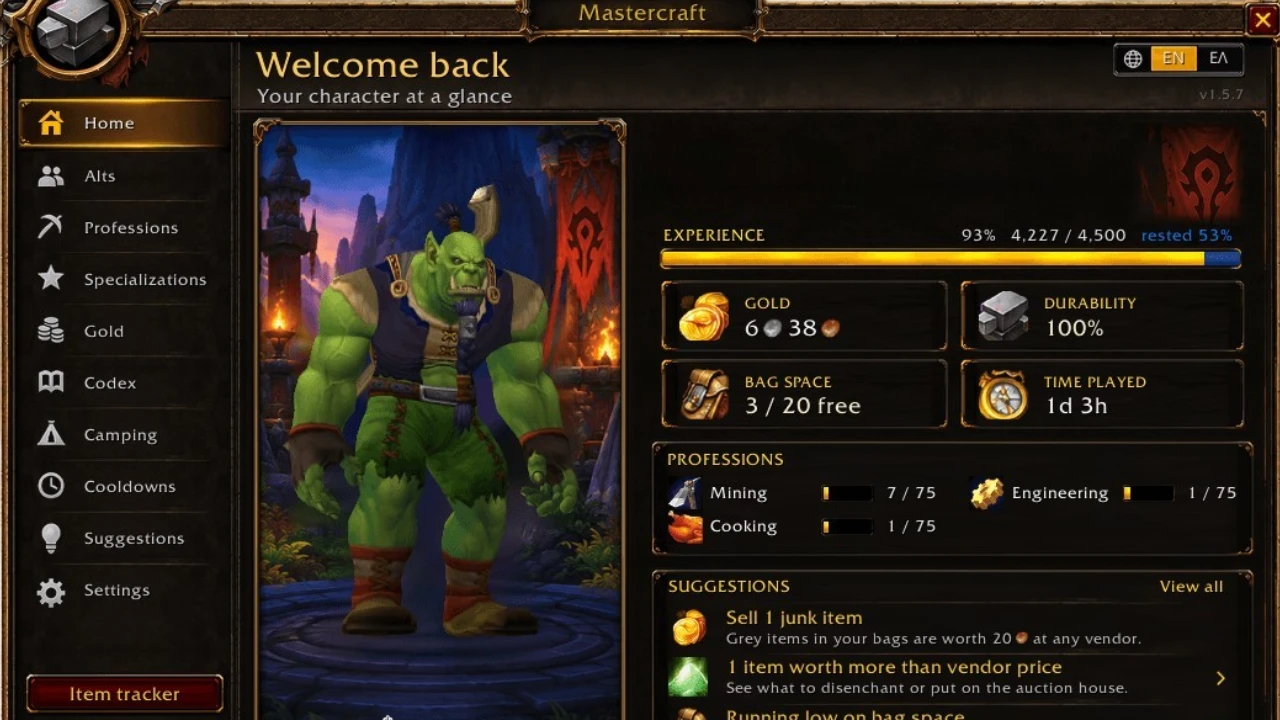
Quick command: Type /mc to open Mastercraft.
Tip: Treat crafting costs and recommendations as planning tools. Prices can change, so check the current Auction House before buying large quantities of materials.
View Mastercraft on CurseForge
6. Auctionator
Best for: Buying materials, selling items, and checking Auction House prices.
Whether you are selling materials from your latest farming session or buying ingredients for a profession, Auctionator makes the Auction House easier to navigate.
The addon helps you compare listings, create shopping lists, and keep track of prices. It is a practical choice for players who want a clearer view of the market without turning every sale into a spreadsheet exercise.
What Makes It Useful?
- Search for items and compare available listings.
- Create shopping lists for materials you buy regularly.
- See auction price information in item tooltips.
- Review and manage your listed auctions.
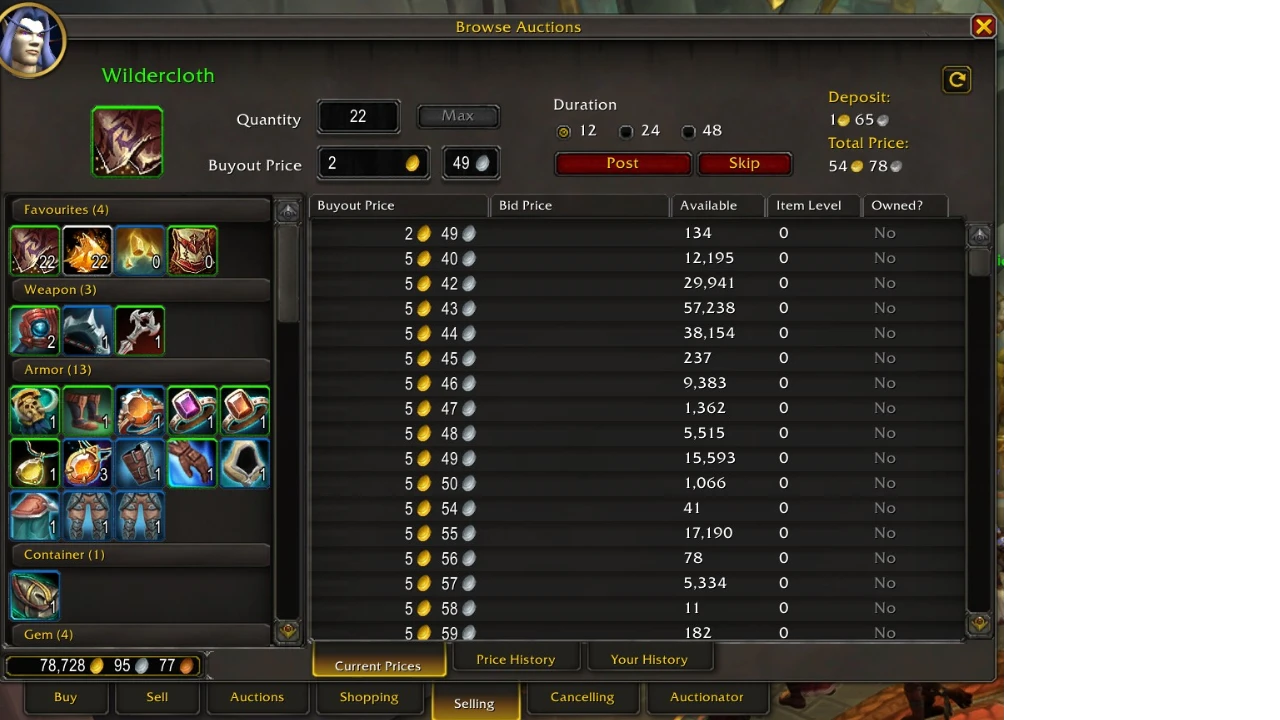
Tip: Auction prices can change quickly. Update your price information and check current listings before posting valuable items.
View Auctionator on CurseForge
7. GearQuest Forever
Best for: Finding gear upgrades while leveling and preparing for endgame.
One of the biggest questions while leveling is simple: what item should I replace next? GearQuest Forever helps answer that question by showing potential upgrades for your class, specialization, and level.
You can inspect an equipment slot, browse suggested items, and see where those items come from. If something catches your eye, you can track it as a gear hunt.
What Makes It Useful?
- Find potential upgrades for character levels 1–60.
- Browse suggestions by equipment slot.
- Check where recommended items come from.
- Track gear you want to obtain.
- Receive a notification when a tracked item drops.
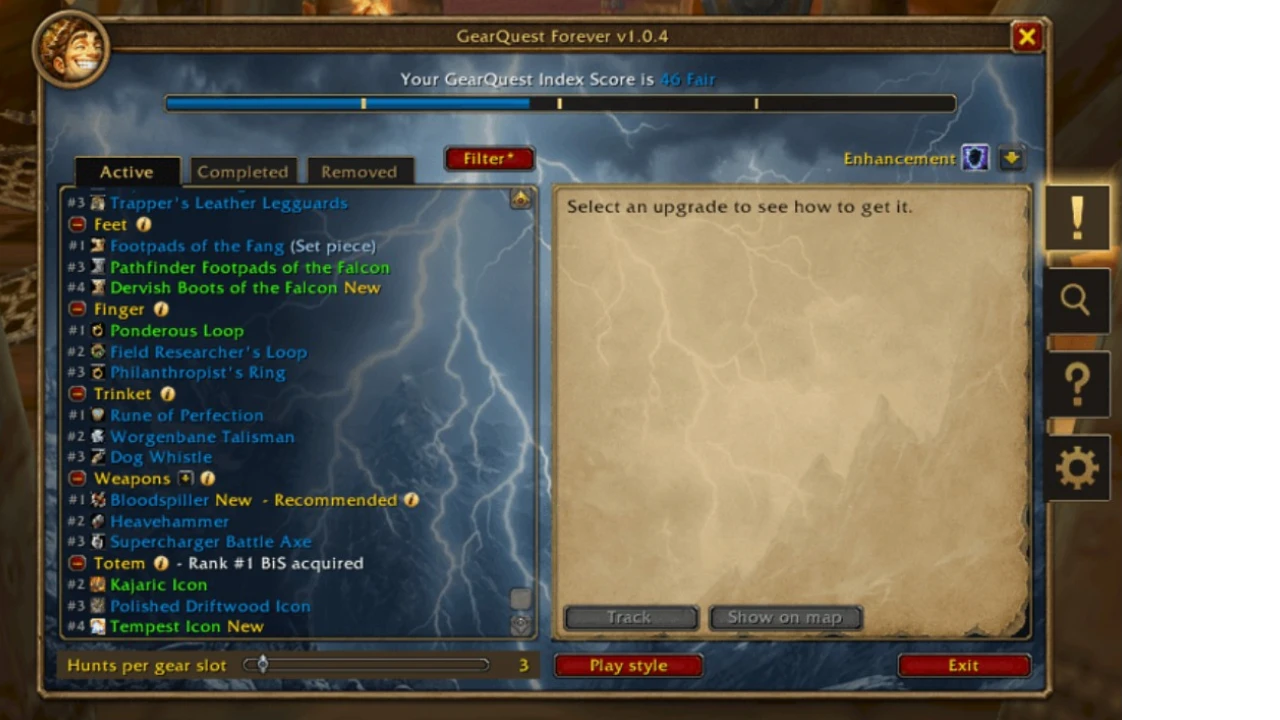
How to use: Right-click a gear slot in your character window to browse suggested upgrades. The minimap button opens the addon’s tracking log.
Beta note: Item data and recommendations may be incomplete or change as more gear is discovered and class builds are updated. Use the suggestions as a starting point and compare items for your own build.
View GearQuest Forever on CurseForge
8. RareScanner
Best for: Hunting rare enemies and exploring the open world.
Rare enemies are easy to miss when you are focused on quest objectives or traveling through a zone. RareScanner helps you keep an eye out for discoveries while you explore Azeroth.
The addon can alert you when it detects a nearby rare NPC and provide map information for known encounters. It is useful for players who enjoy checking out unusual enemies and exploring beyond the main quest route.
What Makes It Useful?
- Receive alerts for detected rare enemies.
- Browse known rare NPC locations on the map.
- Use its database to help plan exploration.
- Combine it with a map addon for a more comfortable overview of a zone.
Good to know: The Forever version is currently marked as Beta. Its database is still being updated, so some locations or entries may be missing or incorrect. Treasure information and alerts can also differ between versions.
Installation tip: Open the Files tab and choose a file marked Forever, rather than the Retail or Classic version.
View RareScanner on CurseForge
How to Install WoW Forever Addons
The easiest way to manage these addons is through the CurseForge app. You can also install a compatible file manually.
Using the CurseForge App
- Open the CurseForge app and select World of Warcraft.
- Choose WoW Forever as your game version.
- Search for the addon you want and install its Forever version.
- Restart the game and check that the addon is enabled in the AddOns menu.
Installing an Addon Manually
- Open the addon’s CurseForge page and select the file marked Forever.
- Download and extract the ZIP file.
- Place the extracted addon folder or folders inside the active Forever client’s Interface/AddOns folder.
- Restart the game and enable the addon from the AddOns menu.
Make sure you are using the folder for the Forever client you actually play. The beta and live clients can use different folders, and a Retail or Classic installation is not automatically interchangeable.
If an addon does not appear, check that its folder was extracted correctly and is not nested inside an extra folder. Also confirm that you downloaded a Forever-compatible file.
Which Addons Should You Install First?
You do not need to install every addon at once. Start with the tools that match what you are doing in game:
- For leveling: Leatrix Maps, Talents Forever, and GearQuest Forever.
- For exploration and rares: Leatrix Maps and RareScanner.
- For dungeon runs: DungeonJournal and GearQuest Forever.
- For professions and gold: Mastercraft and Auctionator.
- For a cleaner interface: BlizzMove and Leatrix Maps.
Adding a few addons at a time also makes it easier to identify the cause if something does not work after an update.
Frequently Asked Questions
Do these addons work in WoW Forever?
Each project listed here has a file marked for WoW Forever. Always select that version and check for updates, especially while the game and addons are still changing. RareScanner’s Forever file is currently marked as Beta.
Can I use my old WoW Classic addons in Forever?
Do not assume that an addon made for another WoW version will work in Forever. Check the project page for a file specifically marked Forever before installing it.
Which addon helps find gear upgrades?
GearQuest Forever shows potential upgrades by equipment slot, class, specialization, and level. You can also track items you want to obtain.
Which addon helps find rare enemies?
RareScanner can alert you to detected rare NPCs and show information about known locations. Its Forever database is still being updated, so some information may be incomplete.
Which addon is useful for dungeons?
DungeonJournal helps you check dungeon quests, rewards, and boss drops in game. It pairs well with GearQuest Forever when you are looking for a specific upgrade.
Are addons required to play WoW Forever?
No. Addons are optional. They can make information easier to find or help you customize your interface, but you can choose only the tools that improve your own experience.
POPULAR NEWS